

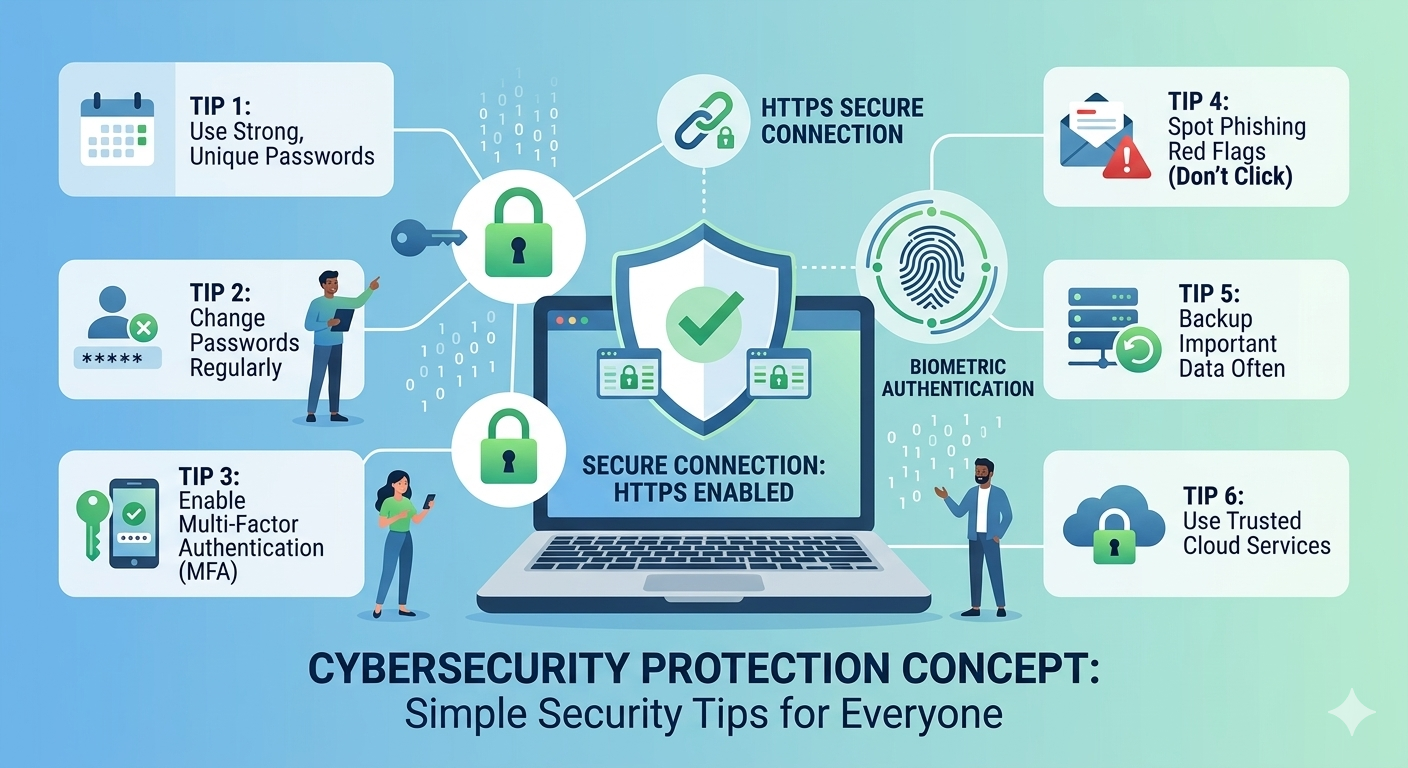
Cybersecurity might sound like something only technology experts need to worry about, but the truth is that everyone who uses the internet faces security risks daily. From checking email to shopping online, every digital activity creates potential vulnerabilities that hackers can exploit. The good news is that protecting yourself does not require advanced technical knowledge or expensive software. Simple cybersecurity tips everyone should know can dramatically reduce your risk of becoming a victim of identity theft, data breaches, or financial fraud. This guide provides practical, easy-to-implement strategies that anyone can use to stay safer online, regardless of their technical background or experience level.
Many people assume cybersecurity involves complex procedures beyond their understanding, so they ignore basic protections entirely. This mindset creates unnecessary risk because most cyber attacks succeed by exploiting simple mistakes rather than sophisticated weaknesses. Hackers rely on people using weak passwords, clicking suspicious links, or neglecting software updates. By understanding fundamental security principles and applying them consistently, you build strong defenses against the majority of threats. The simple cybersecurity tips everyone should know focus on practical habits that fit seamlessly into daily routines without disrupting your digital life or requiring constant vigilance.
Why Cybersecurity Matters for Everyone
Cybersecurity affects every aspect of modern life because we store sensitive information across countless online accounts and devices. Your email contains private conversations, financial statements, and password reset links. Your phone holds photos, contacts, and access to banking apps. Your computer might store tax documents, medical records, and work files. If criminals gain access to any of these, the consequences can range from annoying to devastating. Identity theft can damage credit scores and take years to resolve. Financial fraud can drain bank accounts. Privacy violations can expose embarrassing information or enable blackmail.
The frequency and sophistication of cyber attacks continue increasing each year. Large corporations with dedicated security teams experience breaches that expose millions of customer records. Small businesses fall victim to ransomware that locks critical files until they pay hefty fees. Individuals receive phishing emails designed to steal login credentials or install malware. No one is immune from these threats, but understanding simple cybersecurity tips everyone should know levels the playing field. Criminals target the easiest victims first, so implementing basic protections often convinces attackers to move on to softer targets who take no precautions.
Beyond personal consequences, poor cybersecurity practices can harm others. Compromised email accounts send spam or phishing messages to your contacts. Infected computers become part of botnets that launch attacks against websites or spread malware. Weak security at work can expose customer data or company secrets. Taking cybersecurity seriously protects not just yourself but also your friends, family, colleagues, and community. The collective improvement of everyone’s security practices makes the entire digital ecosystem safer and more resilient against criminal activity.
Creating Strong Passwords That Actually Work
Passwords represent the first line of defense for most online accounts, yet people consistently choose weak, easily guessed options that provide minimal protection. Simple cybersecurity tips everyone should know start with password fundamentals because this single change dramatically improves security. A strong password contains at least twelve characters mixing uppercase letters, lowercase letters, numbers, and special symbols. Avoid common words, names, dates, or predictable patterns that hackers can crack using automated tools. Instead of “password123” or “JohnSmith2024,” use complex combinations like “Tr3e$Blue!Mountain49” that resist guessing attempts.
The biggest password mistake involves reusing the same credentials across multiple sites. When one service experiences a data breach and exposes your password, criminals immediately try those credentials on other popular platforms. If you use identical login information for email, banking, and shopping sites, a single breach compromises everything. Creating unique passwords for each account contains the damage from breaches and prevents cascading failures across your digital life. This approach requires remembering dozens of complex passwords, which brings us to an essential tool.
Password managers solve the impossible task of remembering unique, complex passwords for every account. These applications generate random, strong passwords and store them securely behind one master password. You only need to remember the master password while the manager handles everything else. Quality password managers like Bitwarden, 1Password, or LastPass work across devices, automatically fill login forms, and alert you about weak or reused passwords. Many people resist password managers initially, fearing that storing all passwords in one place creates a single point of failure. However, reputable managers use strong encryption that even the company cannot break, making them far safer than reusing simple passwords or writing them on sticky notes.
Changing passwords regularly once seemed like essential advice, but security experts now recommend updating passwords only when breaches occur or you suspect compromise. Forcing frequent changes encourages people to make minor, predictable modifications rather than truly new passwords. Focus instead on creating strong, unique passwords from the start and changing them immediately if a service announces a data breach. Many websites now notify users about breaches affecting their accounts, making it easier to respond quickly when problems arise.
Enabling Two-Factor Authentication Everywhere Possible
Two-factor authentication, often abbreviated as 2FA, adds an extra security layer that simple cybersecurity tips everyone should know should emphasize strongly. Even if criminals steal your password, they cannot access your account without the second authentication factor. This additional step typically involves entering a code sent to your phone, using an authenticator app, or confirming a prompt on a trusted device. The minor inconvenience of this extra step provides enormous security benefits that stop most unauthorized access attempts dead in their tracks.
Different types of two-factor authentication offer varying security levels. Text message codes represent the most common and easiest method, but they remain vulnerable to sophisticated attacks like SIM swapping. Authenticator apps such as Google Authenticator, Microsoft Authenticator, or Authy generate time-based codes on your device without relying on text messages, providing better security. Hardware security keys like YubiKey offer the strongest protection by requiring a physical device to be present during login, making remote attacks essentially impossible. For most people, authenticator apps strike the best balance between security and convenience.
Enable two-factor authentication on your most important accounts first, prioritizing email, banking, social media, and any service containing financial or sensitive personal information. Email deserves special attention because it often serves as the recovery method for other accounts. If criminals access your email, they can reset passwords across your digital life. Protecting your email with two-factor authentication creates a strong foundation that secures everything else. Most major services now offer two-factor authentication in their security settings, though the exact setup process varies by platform.
Keep backup codes in a safe place when enabling two-factor authentication. Services provide these codes during setup to use if you lose access to your phone or authenticator app. Without backup codes, losing your authentication device can lock you out of your own accounts. Print the codes and store them somewhere secure like a safe or password manager. This precaution ensures you can regain access during emergencies while maintaining strong security against unauthorized users.
Recognizing and Avoiding Phishing Attacks
Phishing represents one of the most common cyber threats because it exploits human psychology rather than technical vulnerabilities. These attacks use fake emails, text messages, or websites that impersonate legitimate organizations to trick people into revealing passwords, credit card numbers, or other sensitive information. Simple cybersecurity tips everyone should know must include recognizing phishing attempts because even strong passwords cannot protect you if you voluntarily hand credentials to criminals. Understanding common phishing tactics helps you identify and avoid these deceptive schemes.
Suspicious emails often contain telltale signs that reveal their fraudulent nature. Poor grammar and spelling suggest messages from non-native speakers or automated systems. Generic greetings like “Dear Customer” instead of your actual name indicate mass mailings rather than personalized communication. Urgent language creating artificial time pressure tries to bypass your critical thinking. Unexpected attachments or links should raise immediate red flags. Legitimate companies rarely ask you to click links in emails to verify accounts or update payment information.
Before clicking any link in an email, hover your mouse over it to preview the actual destination URL. Phishing links often use slight misspellings of legitimate domains, like “amazn.com” instead of “amazon.com” or “paypa1.com” with a number one instead of the letter L. Even if an email looks convincing, navigate to websites by typing addresses directly into your browser rather than clicking email links. This simple habit prevents you from accidentally visiting fake sites designed to steal your information.
When you receive suspicious messages supposedly from banks, government agencies, or online services, contact the organization directly using phone numbers or websites you find independently, not contact information provided in the questionable message. Real companies understand security concerns and will confirm whether they sent the communication. Report phishing attempts to the organization being impersonated and delete the messages. Most email providers include options to mark messages as phishing, which helps improve their filters and protect other users from similar attacks.
Keeping Software and Devices Updated
Software updates often feel like annoying interruptions to your workflow, but they represent critical security measures that simple cybersecurity tips everyone should know emphasize repeatedly. Developers release updates not just to add features but to patch security vulnerabilities that hackers could exploit. Criminals actively search for known weaknesses in outdated software, making unpatched systems easy targets. Delaying updates leaves your devices vulnerable to attacks that updates would have prevented. The WannaCry ransomware attack in 2017 primarily affected systems running outdated Windows versions despite Microsoft releasing patches months earlier.
Operating systems like Windows, macOS, iOS, and Android regularly release security updates that you should install promptly. Enable automatic updates whenever possible so your devices protect themselves without requiring your intervention. Most modern systems download and install updates in the background with minimal disruption. Restart your devices when prompted to complete update installations rather than postponing indefinitely. These restarts activate the security improvements that updates provide.
Applications and programs also need regular updates to maintain security. Web browsers, office software, media players, and other commonly used programs can contain vulnerabilities that criminals exploit to install malware or steal data. Many applications offer automatic update options that you should enable. For programs without automatic updates, check periodically for new versions and install them promptly. Uninstall software you no longer use because abandoned programs often stop receiving security updates while still creating potential entry points for attacks.
Mobile apps require the same attention to updates as computer software. Both Android and iOS devices notify you about available app updates that you should install regularly. These updates fix security issues discovered since the previous version and often improve performance or add useful features. Review app permissions periodically to ensure programs only access information they genuinely need. An app that requests unnecessary permissions might have malicious intent or simply collect more data than appropriate for its function.
Securing Your Home Network and Wi-Fi
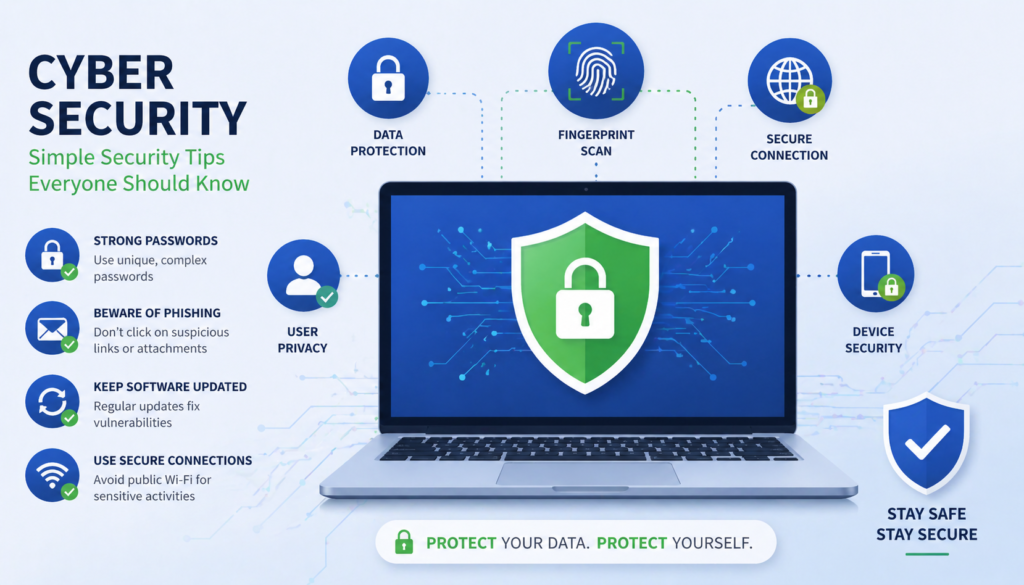
Your home network serves as the gateway between your devices and the internet, making its security essential to protecting everything connected to it. Simple cybersecurity tips everyone should know include properly configuring your router and Wi-Fi because weak network security exposes all your devices to potential attacks. Criminals can intercept data transmitted over unsecured networks, access shared files and printers, or use your internet connection for illegal activities that trace back to you.
Start by changing the default administrator password on your router. Manufacturers use standard passwords that anyone can find online, making routers with unchanged credentials trivially easy to compromise. Access your router’s settings through a web browser using the address specified in its documentation, then navigate to security or administration settings to create a strong, unique password. This change prevents unauthorized people from modifying your network configuration or viewing your internet activity.
Secure your Wi-Fi network with strong encryption using WPA3 if your router supports it, or WPA2 if not. Avoid outdated WEP encryption that criminals can crack within minutes. Create a complex Wi-Fi password unrelated to personal information that attackers could guess. Unlike passwords you type frequently, you can make Wi-Fi passwords very long and random since most devices remember them after the initial setup. Change the default network name from the router manufacturer’s standard SSID to something that does not reveal personal information, avoiding names like “SmithFamily” that identify your household.
Consider creating a separate guest network for visitors and smart home devices. Guest networks prevent visitors from accessing your main network where personal computers and sensitive data reside. Isolating smart devices like cameras, thermostats, and voice assistants limits the damage if these less secure gadgets become compromised. Many modern routers include guest network features in their settings, making this additional protection easy to implement without technical expertise.
Disable remote management features unless you specifically need them. These features let you access router settings from outside your home network but also create potential entry points for attackers. Similarly, disable WPS (Wi-Fi Protected Setup), a convenience feature with known security vulnerabilities that attackers can exploit to access your network. The minor inconvenience of typing Wi-Fi passwords instead of pressing a button provides significantly better security.
Being Careful with Public Wi-Fi Networks
Public Wi-Fi networks at coffee shops, airports, hotels, and other locations offer convenient internet access but create significant security risks. Simple cybersecurity tips everyone should know warn against conducting sensitive activities over public networks because you cannot control their security. Criminals often create fake networks with legitimate-sounding names or monitor traffic on real public networks to intercept passwords, emails, and financial information transmitted without proper protection.
Avoid accessing banking, shopping, or other sensitive accounts while connected to public Wi-Fi whenever possible. Wait until you reach a secure network at home or work before handling financial transactions or accessing confidential information. If you must use public Wi-Fi for important activities, use your phone’s mobile data connection instead by disabling Wi-Fi and relying on cellular service. Mobile data connections provide better security than most public Wi-Fi networks and prevent your device from automatically connecting to potentially malicious hotspots.
Virtual Private Networks, or VPNs, encrypt all internet traffic between your device and the VPN server, protecting your data even on insecure public networks. Quality VPN services like NordVPN, ExpressVPN, or ProtonVPN create secure tunnels that prevent others on the same network from viewing your online activities. Using a VPN on public Wi-Fi represents one of the most effective simple cybersecurity tips everyone should know for people who frequently work remotely or travel. Free VPN services often have limitations or questionable privacy practices, so research options carefully before trusting them with your data.
Disable automatic Wi-Fi connections on your devices to prevent them from joining networks without your explicit approval. Phones and laptops often remember networks and reconnect automatically, which could unknowingly connect you to dangerous impostor networks. Manually selecting networks each time ensures you connect to legitimate access points. Forget networks after using them, especially in public locations you visit infrequently, to prevent future automatic connections.
Protecting Personal Information on Social Media
Social media platforms encourage sharing personal details that criminals can exploit for identity theft, phishing attacks, or physical security threats. Simple cybersecurity tips everyone should know extend beyond technical measures to include smart decisions about what information you make public. Details like your full birthdate, phone number, address, and family relationships help attackers answer security questions, impersonate you, or locate you physically. Seemingly harmless posts about vacations announce when your home sits empty and vulnerable to burglary.
Review privacy settings on all social media accounts to control who sees your posts and personal information. Most platforms default to relatively public settings that share more than necessary. Adjust these settings to share posts only with friends rather than the entire internet. Limit who can see your email address, phone number, birthday, and other sensitive details. Remember that anything you post, even to a limited audience, could be screenshot and shared beyond your control, so avoid posting anything you would not want becoming completely public.
Be cautious about accepting friend or connection requests from people you do not know personally. Fake accounts created by criminals often send random requests hoping to access personal information visible only to connections. These impostor accounts sometimes copy photos and details from real people to appear legitimate. Verify unexpected requests by contacting people through other channels before accepting. Similarly, avoid clicking links or downloading files shared by people you do not trust completely, as these could contain malware or lead to phishing sites.
Think carefully before participating in social media quizzes, games, or challenges that ask personal questions. Many of these seemingly innocent activities collect information useful for guessing passwords or answering security questions. Questions about your first car, favorite teacher, pet’s name, or street you grew up on mirror common security questions. Criminals compile this information to build profiles for targeted attacks. The entertainment value of sharing quiz results rarely justifies the security risks they create.
Backing Up Important Data Regularly
Data loss from hardware failures, ransomware attacks, or accidental deletion can prove devastating without proper backups. Simple cybersecurity tips everyone should know include maintaining current backups of important files because no security measure provides absolute protection. Hard drives fail, laptops get stolen, and even sophisticated security cannot guarantee complete protection against determined attackers. Regular backups ensure you can recover from disasters without losing precious photos, important documents, or critical work files.
Follow the 3-2-1 backup rule for comprehensive protection. Maintain at least three copies of important data, store them on two different types of media, and keep one copy offsite. This strategy protects against various failure scenarios from device malfunctions to natural disasters. For example, you might keep the original files on your computer, back up to an external hard drive at home, and maintain a cloud backup with a service like Backblaze, Carbonite, or built-in options from Google, Apple, or Microsoft.
Automate backups whenever possible to ensure they happen consistently without relying on memory. Cloud backup services typically run continuously in the background, automatically uploading new or changed files. External drive backups can be scheduled through operating system utilities that create copies at regular intervals. Manual backups work only if you remember to perform them regularly, which most people fail to do consistently. Automated systems remove the burden of remembering and provide better protection through regularity.
Test your backups periodically by restoring a few files to verify the process works correctly. Discovering backup failures when you desperately need to recover data creates terrible situations that proper testing prevents. Ensure you know how to access and restore backed-up files before an emergency occurs. Check that your backup solution includes all important data rather than assuming default settings capture everything. Some backup systems exclude certain file types or locations unless you specifically configure them for inclusion.
Recognizing the Signs of Device Compromise
Despite implementing simple cybersecurity tips everyone should know, determined attackers occasionally succeed in compromising devices. Recognizing infection signs enables quick response that limits damage and prevents attackers from establishing persistent access. Unusual behavior from your computer, phone, or tablet often indicates malware or unauthorized access that requires immediate attention and remediation.
Performance problems like sudden slowness, frequent crashes, or programs closing unexpectedly can signal malware consuming system resources or interfering with normal operations. While legitimate causes like aging hardware or full storage also create performance issues, unexplained problems warrant investigation. Similarly, your device getting unusually hot or the battery draining faster than normal might indicate hidden processes running in the background without your knowledge.
Unexpected pop-up advertisements, especially those appearing outside web browsers or promoting security software, strongly suggest adware or malware infection. Legitimate programs do not generate random ads across your system. Browser behavior changes like a different homepage, new toolbars you did not install, or search results redirecting through unfamiliar sites indicate browser hijacking malware. Remove suspicious browser extensions and run security scans if you notice these symptoms.
Unexplained account activity provides clear evidence of compromise. Emails sent from your account that you did not write, posts on social media you did not create, or purchases you did not make indicate someone else has accessed your accounts. Check account security settings for unfamiliar devices or locations in your login history. Change passwords immediately and enable two-factor authentication if these incidents occur. Contact the service provider to report unauthorized access and secure your account.
Friends or contacts receiving strange messages supposedly from you suggest email or messaging account compromise. Criminals often use compromised accounts to send phishing messages to victims’ contacts, exploiting the trust relationships to increase success rates. If people report receiving suspicious messages from you, change your passwords immediately and notify contacts about the compromise. Scan your devices for malware that might have stolen your credentials.
FAQs
How often should I change my passwords for better security?
You should change passwords immediately when a service announces a data breach affecting your account or if you suspect someone has accessed your account without permission. Otherwise, focus on creating strong, unique passwords rather than changing them on arbitrary schedules, as frequent forced changes often lead to weaker passwords.
Is free antivirus software good enough to protect my computer?
Free antivirus software provides basic protection that is significantly better than no protection at all. Reputable free options like Windows Defender, built into Windows 10 and 11, offer adequate security for most users when combined with safe browsing habits and regular updates. Paid antivirus adds extra features but is not essential for everyone.
What should I do immediately if I click a phishing link?
Disconnect from the internet to prevent further data transmission, then run a full antivirus scan on your device. Change passwords for any accounts that might be compromised, starting with email, using a different device if possible. Enable two-factor authentication on affected accounts and monitor for suspicious activity.
Are password managers really safe to use?
Yes, reputable password managers use strong encryption to protect your passwords, making them much safer than reusing simple passwords or writing credentials on paper. Choose well-established password managers with good security reputations, use a strong master password, and enable two-factor authentication on your password manager account for maximum protection.
How can I tell if a website is safe for entering payment information?
Check for HTTPS in the URL and a padlock icon in your browser’s address bar, indicating encrypted connections. Verify you are on the correct website by carefully checking the domain name for misspellings. Look for trust badges from security companies, though remember these can be faked. Use credit cards rather than debit cards for better fraud protection.
Conclusion
Simple cybersecurity tips everyone should know empower you to take control of your digital safety without requiring technical expertise or expensive tools. From creating strong passwords and enabling two-factor authentication to recognizing phishing attempts and maintaining regular backups, these fundamental practices dramatically reduce your vulnerability to common cyber threats. Cybersecurity is not about achieving perfect protection, which remains impossible, but rather about making yourself a harder target than the average person. Criminals typically choose the path of least resistance, targeting people who take no precautions while avoiding those who implement basic security measures. By consistently applying these straightforward strategies, you protect your personal information, financial accounts, and digital privacy from the vast majority of attacks. Remember that cybersecurity represents an ongoing process rather than a one-time setup. Stay informed about new threats, update your defenses as technology evolves, and maintain good security habits across all your online activities. The time invested in implementing these simple cybersecurity tips everyone should know pays dividends through peace of mind and protection against the costly consequences of cyber attacks that affect millions of people each year across the USA, UK, Canada, and worldwide.